CRY Optimizer · free · Windows 10 & 11
Optimize Windows. Without the guesswork.
A free Windows optimizer. Every tweak prints the exact registry key or command before it runs, drops a System Restore point first, and records the old value so you can put it back. No telemetry. No fake RAM cleaners.
Download — free See what it changes
It shows you the change before it runs.
Most optimizers hide what they touch behind one glowing button. This one prints the key, the command, and the old → new value before it runs — and saves the previous value, so undo is exact, not "reset to defaults and pray." How to spot a scam optimizer →
Four rules. No exceptions.
- Restore point first. A System Restore checkpoint is created before CRY writes anything, so you can roll back the whole session in one step.
- Shown verbatim. Every tweak card shows the literal registry key, service, or command — old → new — before it runs.
- Reversible by design. CRY captures the previous value and journals it locally, so undo restores the exact prior state — per tweak, per session, or all at once.
- Zero self-telemetry. No account, no analytics, no "anonymous usage data." Your change history never leaves your PC.
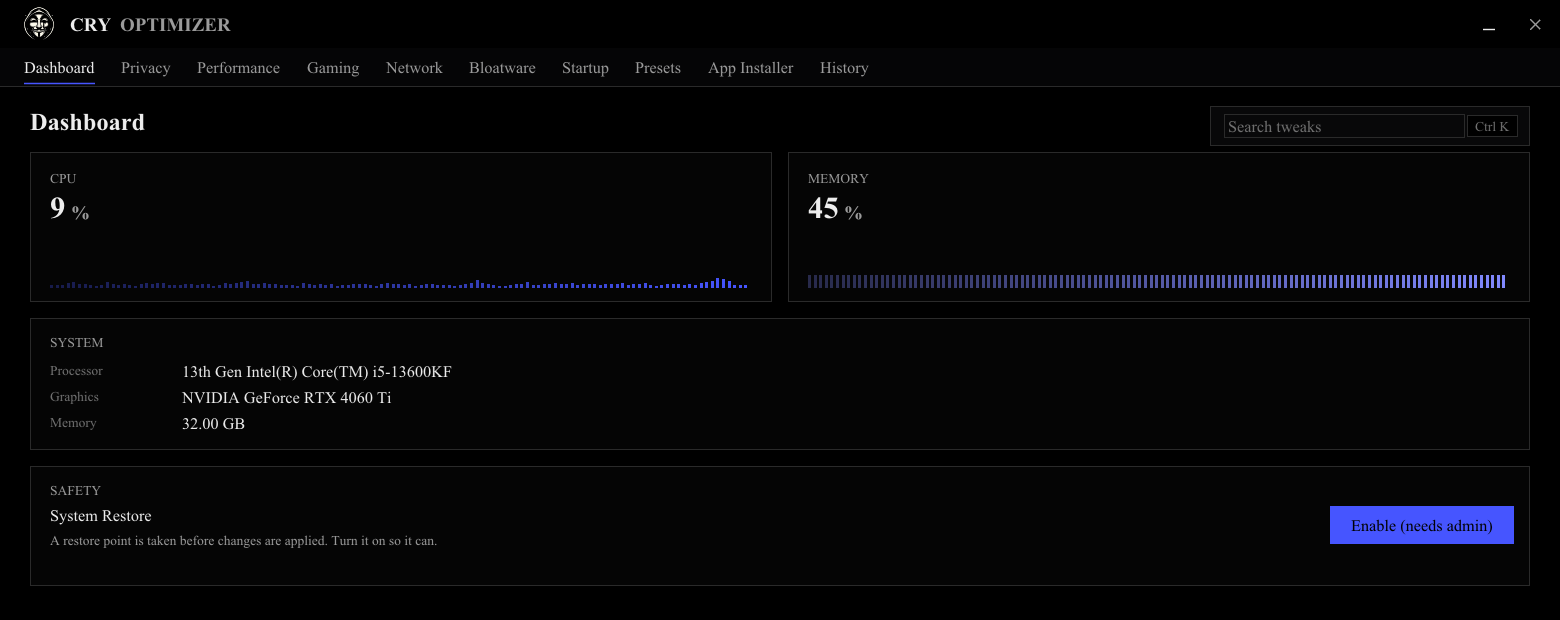
Browse. Stage. Review. Apply.
- i.
Browse
Search the catalog or pick a category. Press
Ctrl Kand type what you want gone. - ii.
Stage
Tick the tweaks you want, or load a preset. Save your selection as a portable
cryset:code. - iii.
Review
A gate lists the exact change for everything staged, old → new, with a restore-point checkbox, before anything runs.
- iv.
Apply
CRY makes the restore point, journals each change, then applies. Don't like one? Revert it from History — no reinstall.
Six categories.
- Privacy — cut telemetry, advertising IDs, diagnostic uploads and activity history at the source.
- Performance — real responsiveness wins, no placebo: Win32 priority, power plan, foreground scheduling.
- Gaming — GPU scheduling, Game Mode, Game DVR and MMCSS, tuned for frames not folklore.
- Network — trim background chatter and tune the TCP stack for lower latency.
- Bloatware — remove bundled UWP apps cleanly, and reinstall any of them later.
- Startup — stop things that don't need to boot with Windows, with a clear restart note.
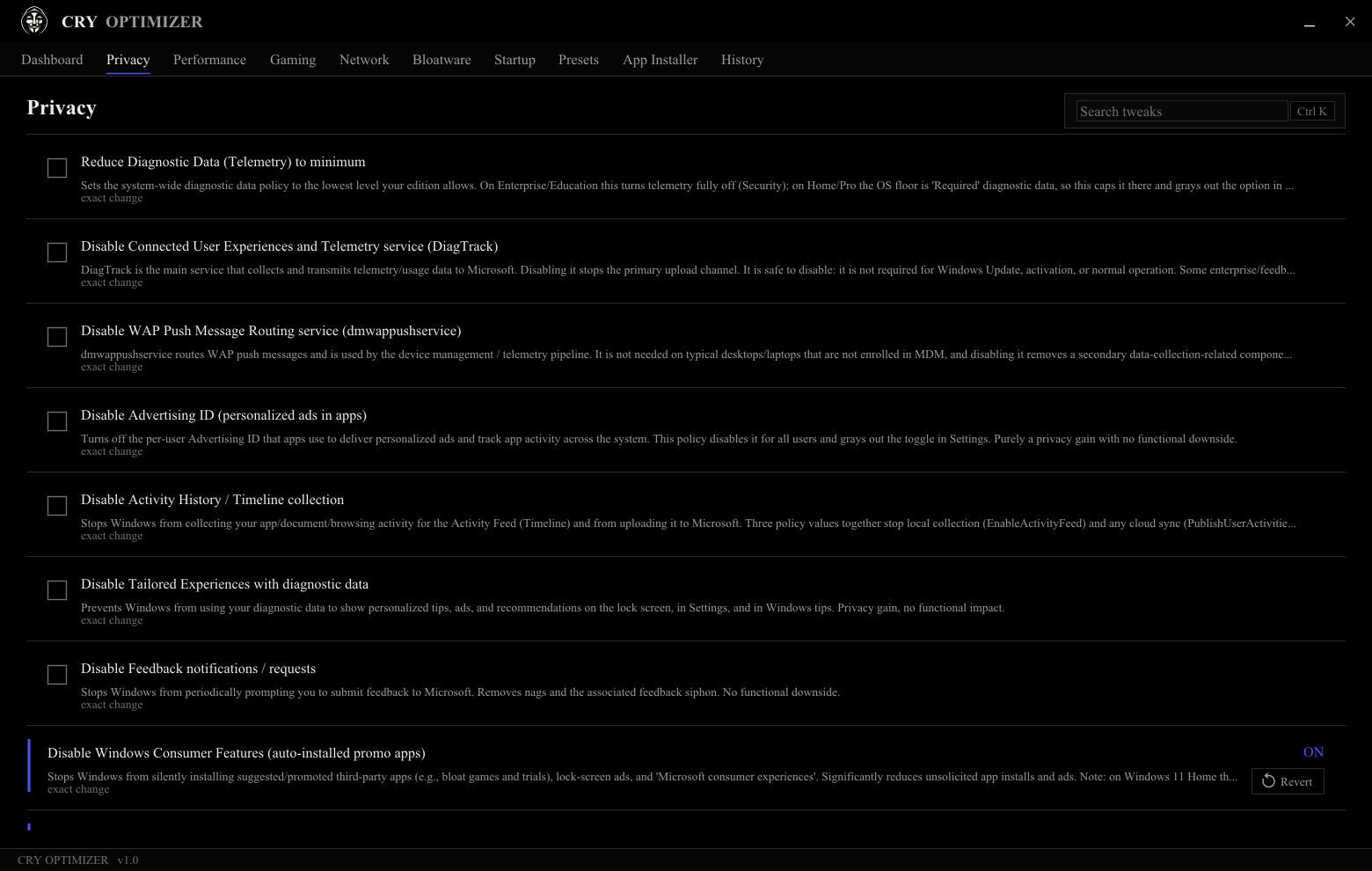
Get CRY Optimizer. It's free.
No account, no license key, no telemetry — just an optimizer for Windows 10 and 11.
Download for WindowsLaunches non-elevated — inspect everything before you grant admin.
FAQ.
Is CRY Optimizer really free?
Yes. No account, no paid tier, no ads, no bundled junk. It exists to be the optimizer that doesn't treat you as the product.
Can I undo changes?
Every tweak is reversible. CRY captures the previous value before each change and writes it to a local change log, so undo restores the exact prior state — per tweak, per session, or all at once. A System Restore point is the coarse fallback.
Does it collect any data?
None. CRY has no self-telemetry and never phones home. Your change history stays on your PC, and you can export or wipe it.
Do I need to run it as administrator?
No — CRY launches non-elevated so you can inspect everything first. It only asks for admin at the moment you apply changes that need it, and you can cancel with no side effects.
Related guides.
- How to actually make Windows faster — what helps, ranked by impact, and the "boosters" that are theater.
- How to disable Windows telemetry — what you can really turn off, done reversibly.
- Windows optimizer scams, and how to spot them — the three questions that expose every fake.